Clean up resources
Delete a cluster using Console
-
Sign in to the AWS Management Console and open the Amazon ElastiCache console at https://console.aws.amazon.com/elasticache/.
-
In the ElastiCache console dashboard, select Redis clusters. A list of all clusters running Redis appears.
-
To select the cluster to delete, select the name of the cluster from the list of clusters. In this case, the name of the cluster you created in 3.2: Create cluster .
-
For Actions, select Delete.
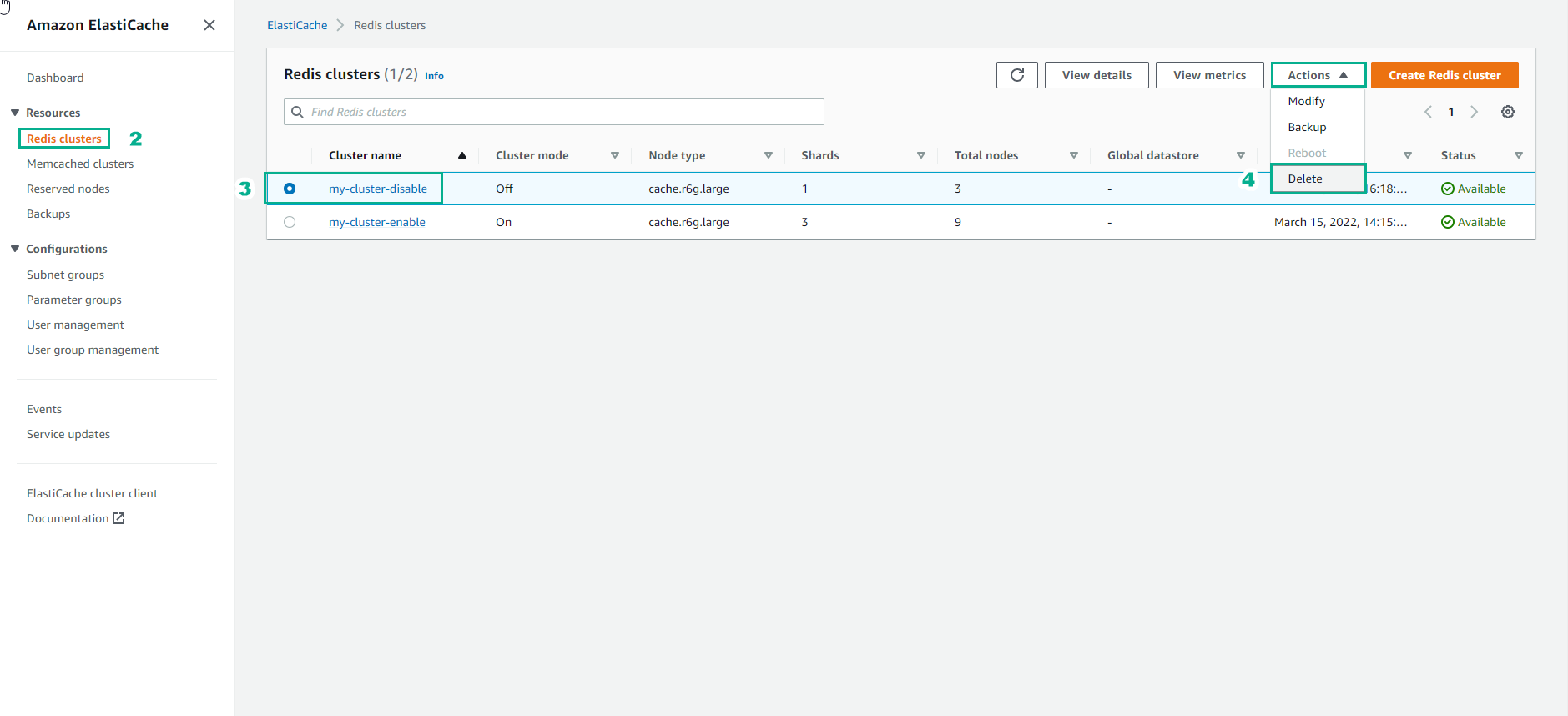
- In the Delete Cluster confirmation screen, select Delete to delete the cluster or select Cancel to keep the cluster.
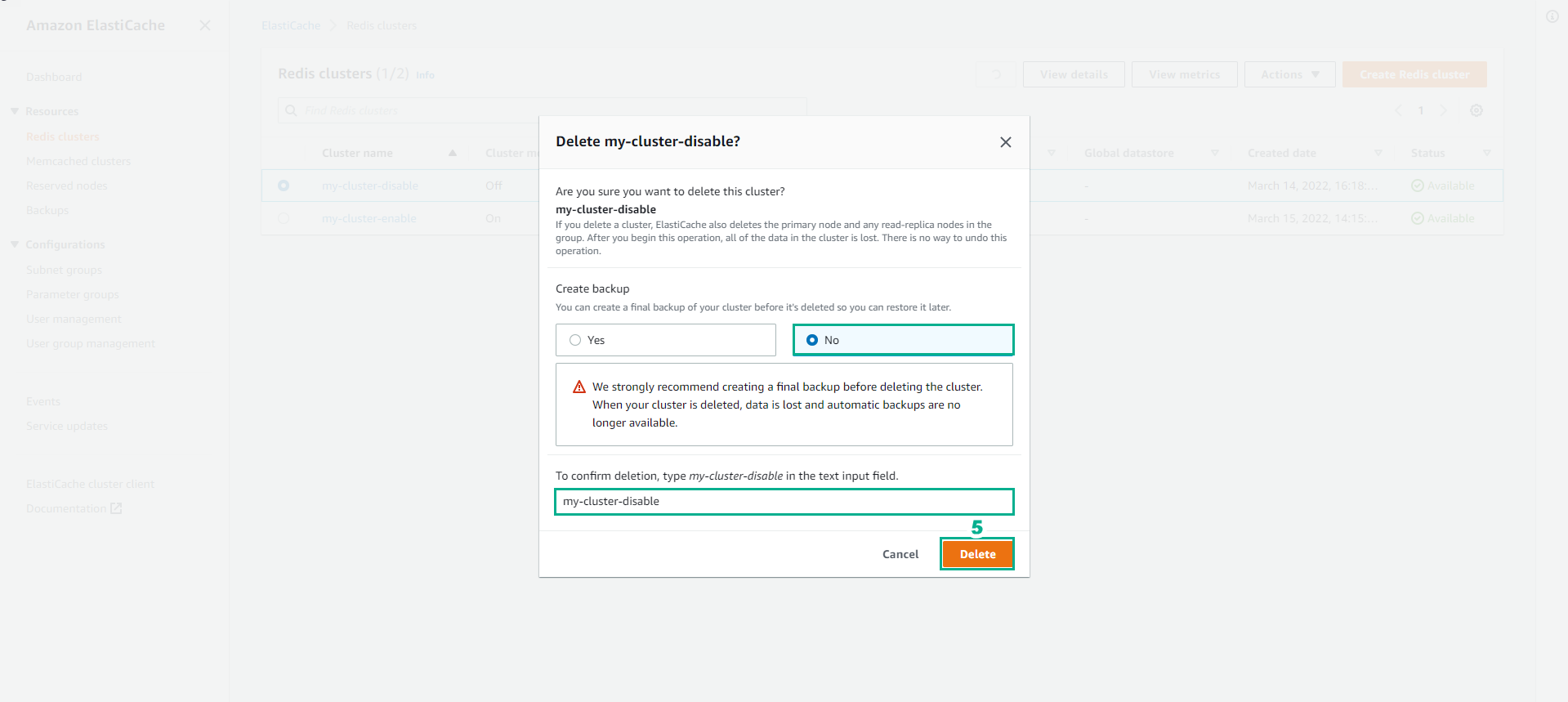
If you select Delete, the cluster’s state will change to deleting.
As soon as your cluster is no longer listed in the list of clusters, you will stop charging for that cluster.
Delete a cluster using the AWS CLI
The following code will clear the cluster cache my-cluster. In this case, replace my-cluster with the name of the cluster you created at [3.2: Create cluster](../3.2-Create%20a%20cluster/3.2.2-Use%20AWS%20CLI /_index.md).
aws elasticache delete-cache-cluster --cache-cluster-id my-cluster
The delete-cache-cluster CLI action deletes only one cache cluster. To delete multiple cache clusters, call delete-cache-cluster each cache cluster that you want to delete. You don’t have to wait for one cache cluster to finish deleting before deleting another cache cluster.
For Linux, macOS or Unix:
aws elasticache delete-cache-cluster \
    --cache-cluster-id my-cluster \
    --region us-east-2
For Windows:
aws elasticache delete-cache-cluster ^
    --cache-cluster-id my-cluster ^
    --region us-east-2