Use Console
Create subnet group using Console
- Sign in to the AWS Management Console and open the ElastiCache console at https://console.aws.amazon.com/elasticache/.
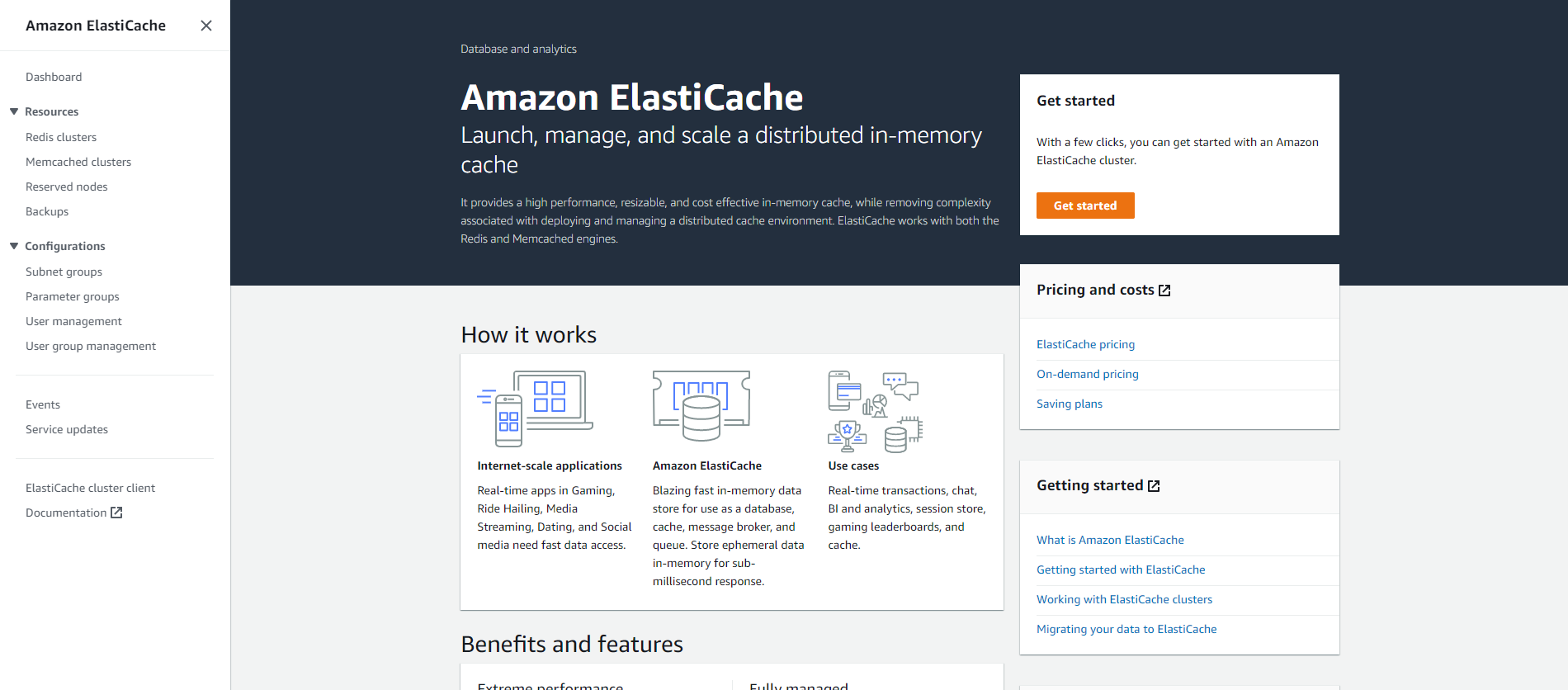
-
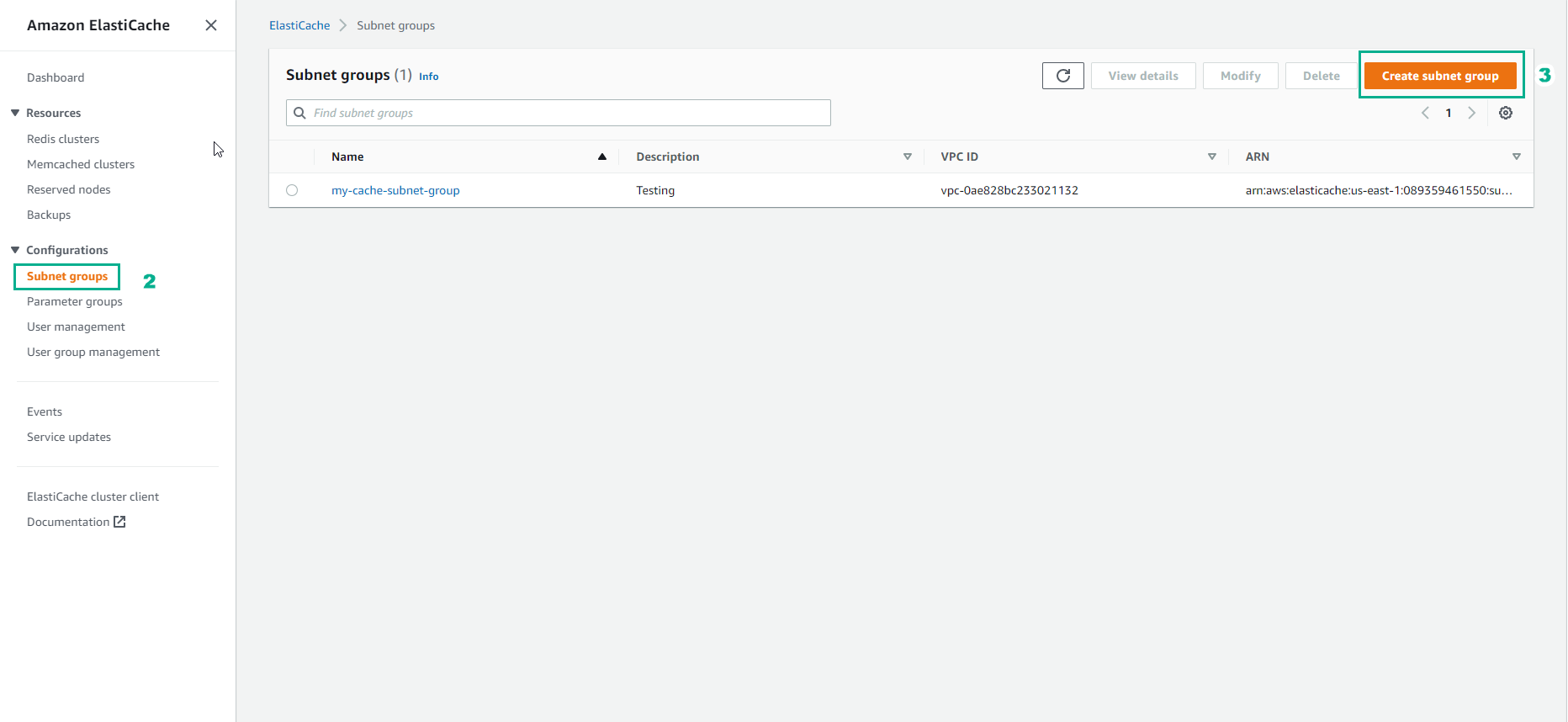
In the navigation list, select Subnet Groups.
-
Select Create Subnet Group.
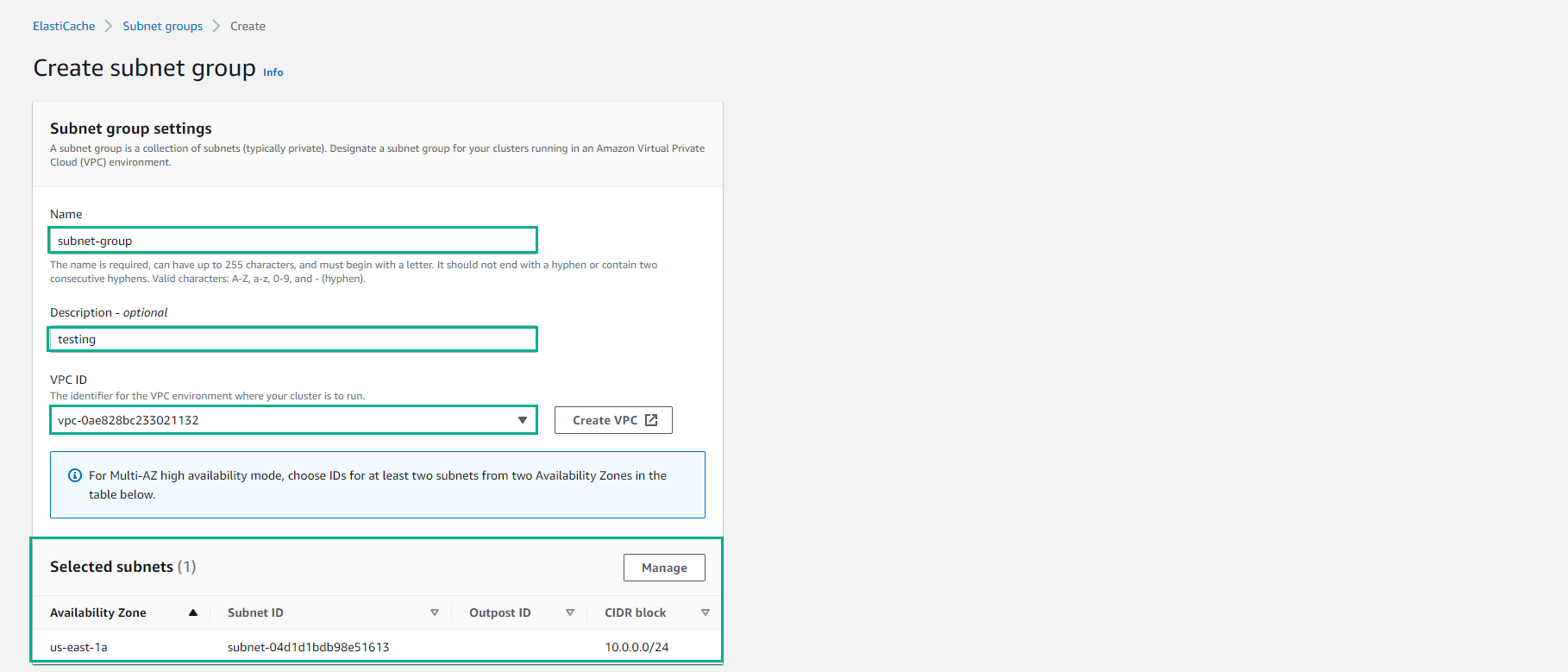
- In the Create Subnet Group wizard, do the following. When all settings are as you want, select Create .
-
In the Name box, enter a name for your subnet group.
-
In the Description box, enter a description for your subnet group.
-
In the VPC ID box, select the Amazon VPC you created.
-
In the Availability Zone and Subnet ID list, select Availability Zone and Subnet ID of your private subnet, then select Add.
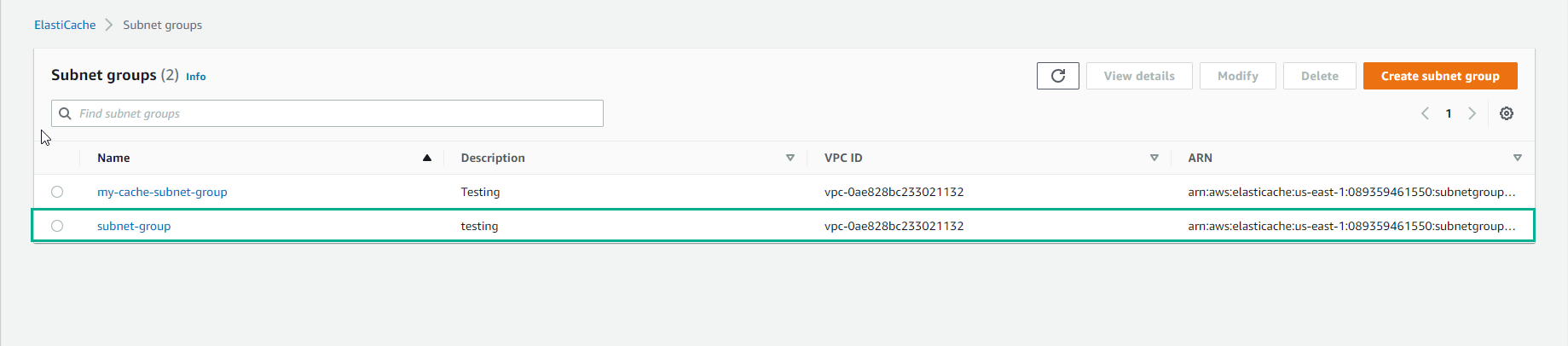
- Your new subnet group appears in the Subnet Groups list of the ElastiCache dashboard. At the bottom of the window, you can select the subnet group name to see details, such as all the subnets associated with this group.