Cluster Mode Disabled
If a Redis cluster (cluster mode disabled) has only one node, the node’s endpoint is used for both reading and writing. If a Redis cluster has multiple nodes, there are three types of endpoints: primary endpoint, the reader endpoint and the node endpoints.
Primary endpoint is the DNS name that always resolves to the primary node in the cluster. The primary endpoint is immune to changes to your cluster, such as promoting a read replica for the primary role. For write operations, you should connect your applications to the endpoint.
The Reader endpoint will equally divide connections to the endpoint among all read replicas in the ElastiCache for Redis cluster. Additional factors such as when an application creates connections or how an application (reuses) connections will determine traffic distribution. Reader endpoints keep up with cluster changes in real time as replicas are added or removed. You can ElastiCache for Redis cluster’s multiple read replicas in different AWS Availability Zones (AZ) to ensure high availability of reader endpoints.
For read operations, applications can also connect to any node in the cluster. Unlike primary endpoints, node endpoints resolve to specific endpoints. If you make changes in your cluster, such as adding or removing replicas, you must update the node endpoints in your application.
To find a Redis (cluster mode disabled) cluster’s endpoints
-
Sign in to the AWS Management Console and open the ElastiCache console at https://console.aws.amazon.com/elasticache/.
-
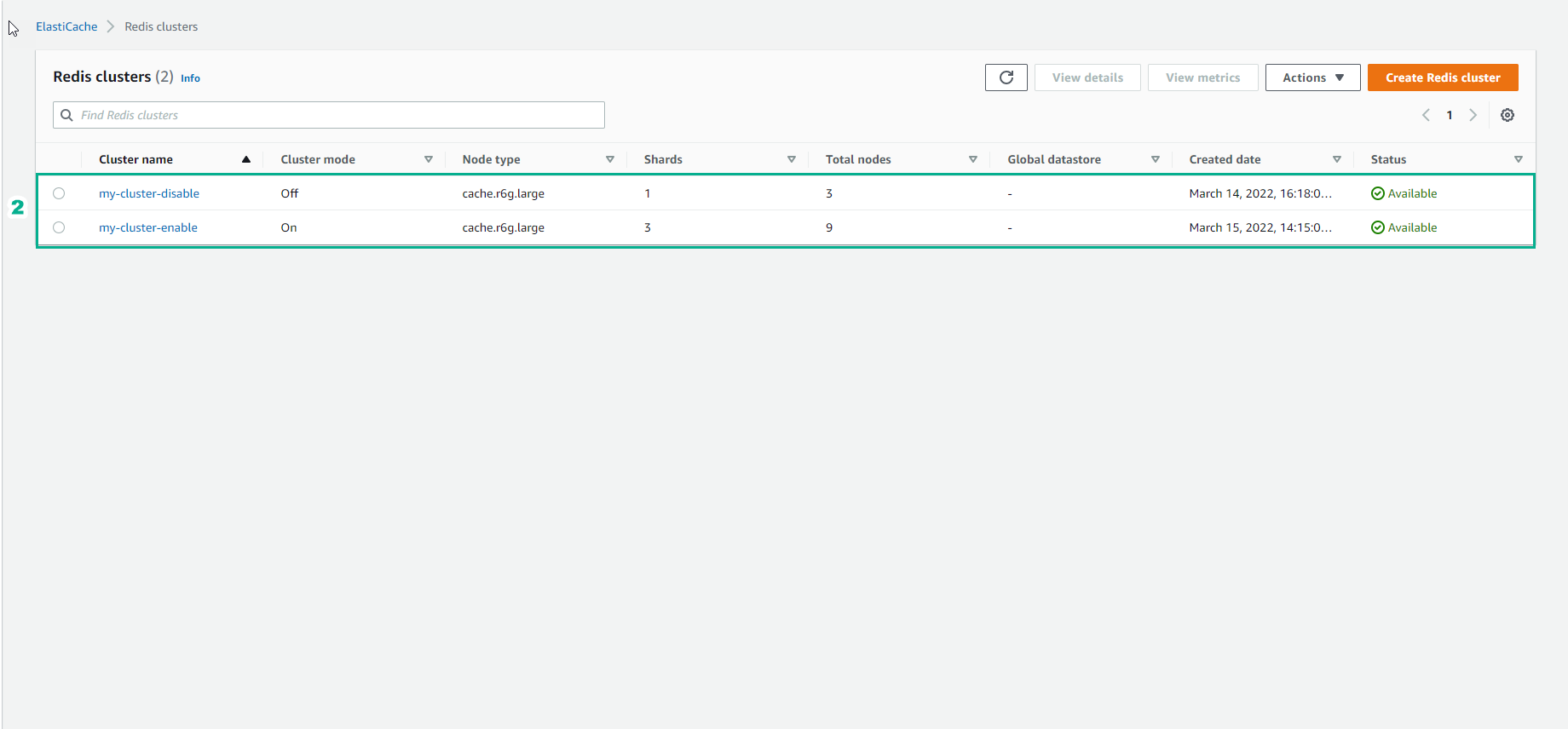
From the navigation pane, select Redis clusters. The Redis clusters screen will appear with a list of Redis (cluster mode disabled) and Redis (cluster mode enabled) clusters.
-
To find the Primary and/or Reader endpoints of the cluster, select the name of the cluster.
-
If Redis (cluster mode disabled) cluster has replica nodes, you can find replica node endpoints of the cluster by selecting the name of the cluster. The nodes screen appears with each node in the cluster, primary and replicas, listed with its endpoint.
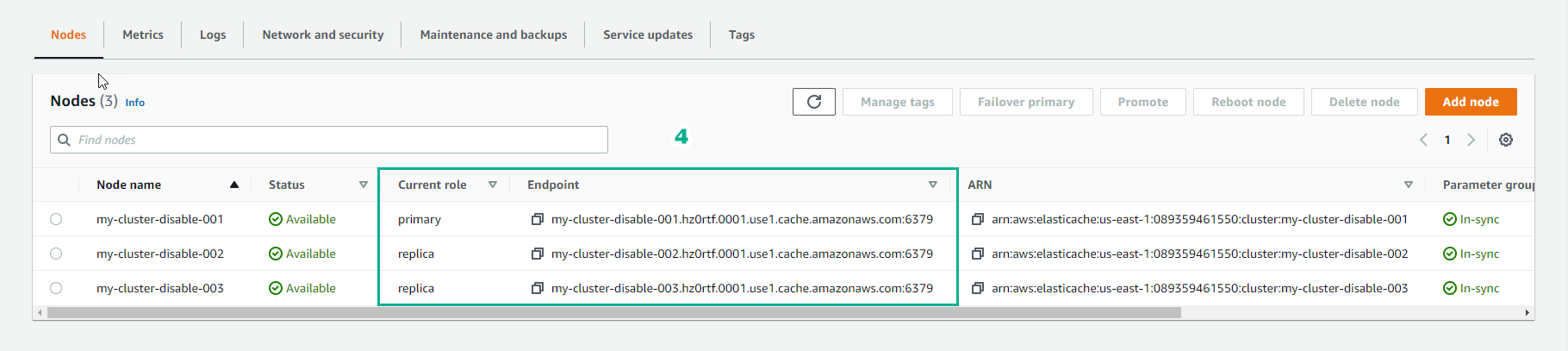
- To copy an endpoint to your clipboard:
-
One endpoint at a time, find and mark the endpoint you want to clone.
-
Right-click the highlighted endpoint, then select Copy from the context menu. The marked endpoint is now copied to your clipboard.

In-transit encryption not enabled
clusterName.xxxxxx.nodeId.regionAndAz.cache.amazonaws.com:port

redis-01.7abc2d.0001.usw2.cache.amazonaws.com:6379
In-transit encryption enabled
master.clusterName.xxxxxx.regionAndAz.cache.amazonaws.com:port

master.ncit.ameaqx.use1.cache.amazonaws.com:6379