Amazon ElastiCache - Redis > Create ElastiCache cluster > Connect to cluster node > Cluster Mode Enabled
Cluster Mode Enabled
Use Configuration Endpoint for both read and write operations. Redis determines which node of the cluster to access.
The following procedure demonstrates how to find and clone Redis (cluster mode enabled) cluster endpoints.
Find node endpoints for a Redis (cluster mode enabled) cluster
-
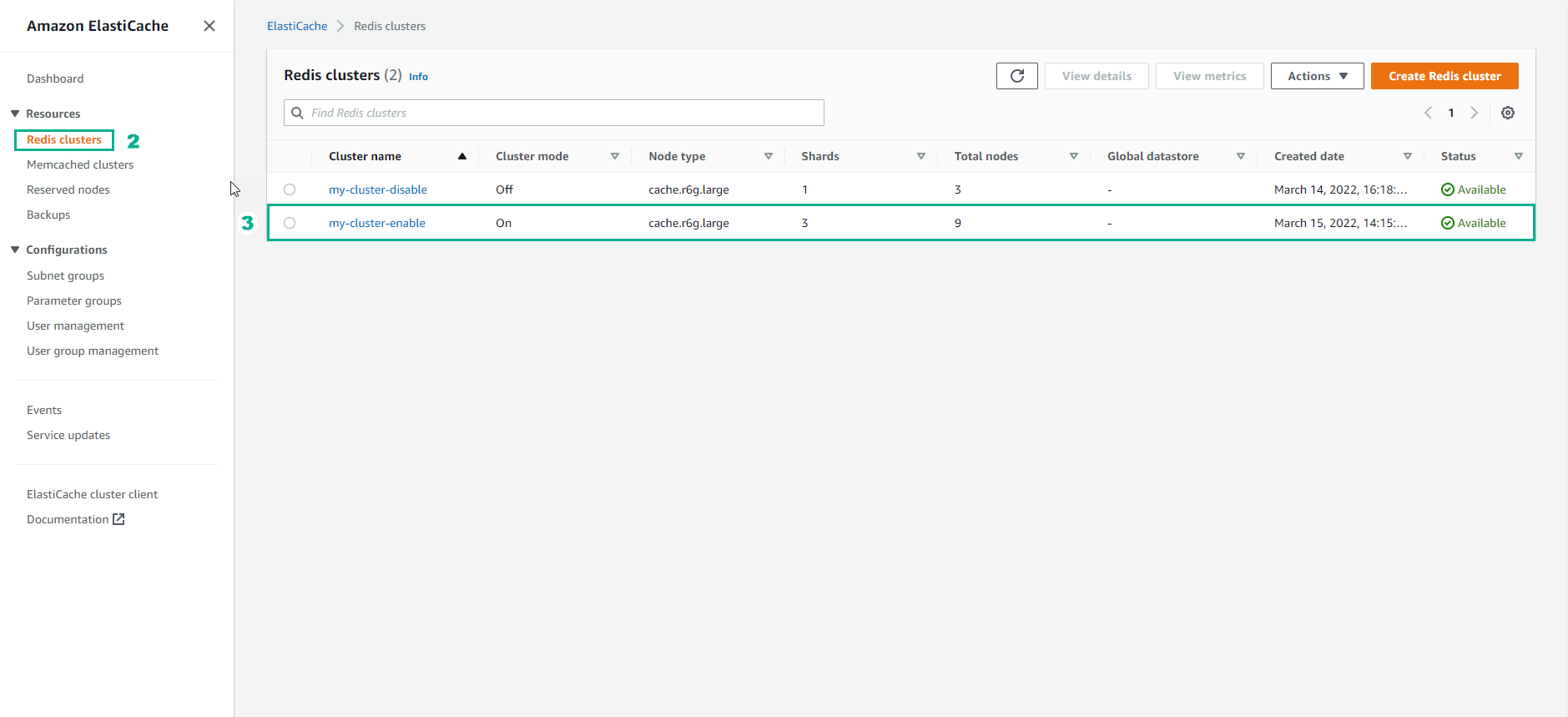
Sign in to the AWS Management Console and open the ElastiCache console at https://console.aws.amazon.com/elasticache/.
-
From the navigation pane, select Redis clusters. A list of clusters running any version of Redis will appear.
-
From the list of clusters, select the cluster name of a cluster. The shard page opens.
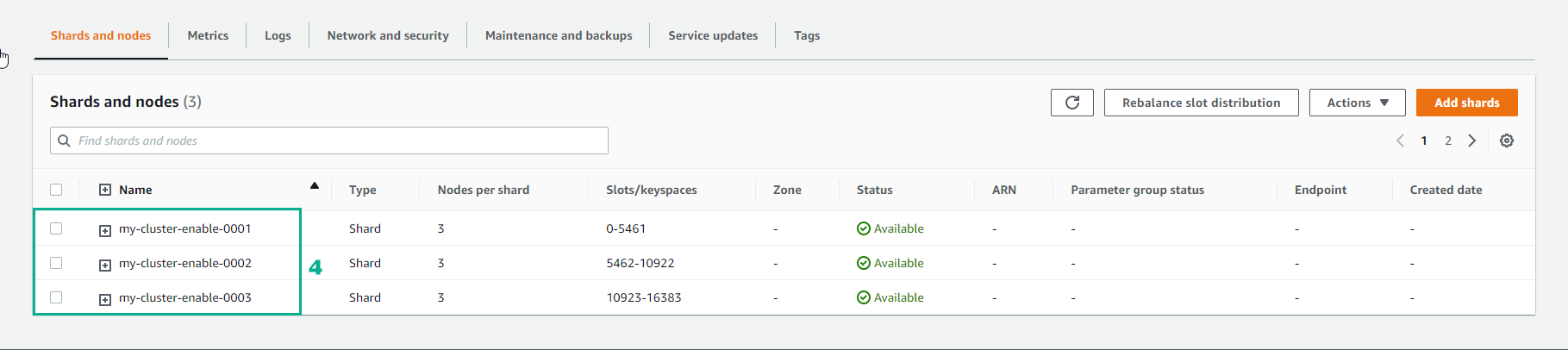
- Select the name of the shard you want the node’s endpoint to. The list of shard nodes appears with each node’s endpoint.
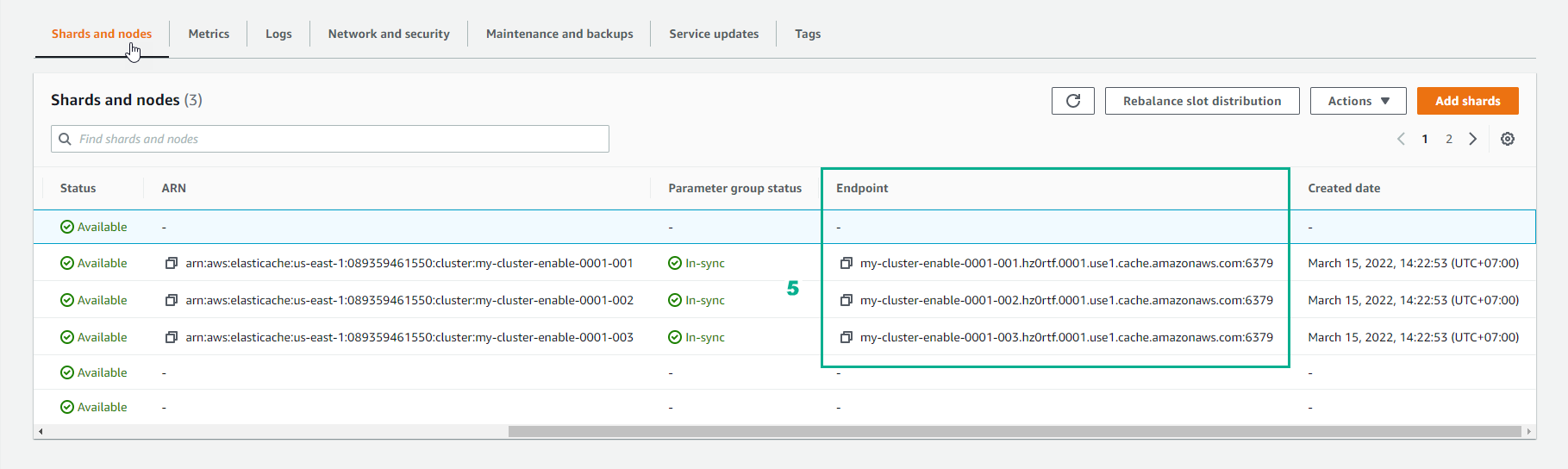
- Locate the Endpoint column and read the endpoint for each node.
In-transit encryption not enabled
clusterName.xxxxxx.regionAndAz.cache.amazonaws.com:port

rce.ameaqx.use1.cache.amazonaws.com:6379
In-transit encryption enabled
clustercfg.clusterName.xxxxxx.regionAndAz.cache.amazonaws.com:port

clustercfg.rce.ameaqx.use1.cache.amazonaws.com:6379