Tạo một cluster (mode disabled cluster)
Tạo một cluster (cluster mode disable)
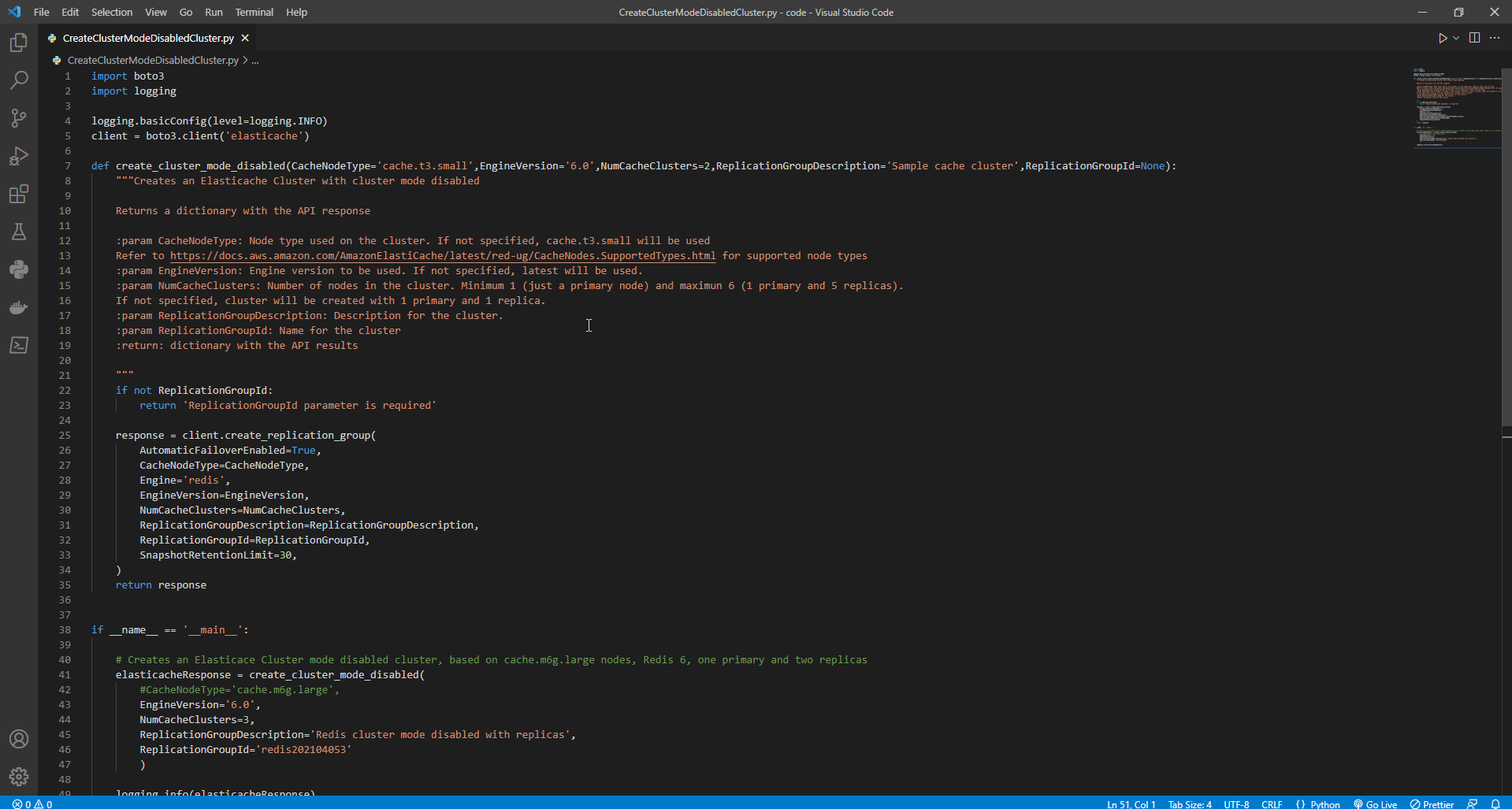
- Tạo file python CreateClusterModeDisabledCluster.py
- Sao chép chương trình sau và dán vào file CreateClusterModeDisabledCluster.py .
import boto3
import logging

logging.basicConfig(level=logging.INFO)
client = boto3.client('elasticache')

def create_cluster_mode_disabled(CacheNodeType='cache.t3.small',EngineVersion='6.0',NumCacheClusters=2,ReplicationGroupDescription='Sample cache cluster',ReplicationGroupId=None):
    """Creates an Elasticache Cluster with cluster mode disabled

    Returns a dictionary with the API response

    :param CacheNodeType: Node type used on the cluster. If not specified, cache.t3.small will be used
    Refer to https://docs.aws.amazon.com/AmazonElastiCache/latest/red-ug/CacheNodes.SupportedTypes.html for supported node types
    :param EngineVersion: Engine version to be used. If not specified, latest will be used.
    :param NumCacheClusters: Number of nodes in the cluster. Minimum 1 (just a primary node) and maximun 6 (1 primary and 5 replicas).
    If not specified, cluster will be created with 1 primary and 1 replica.
    :param ReplicationGroupDescription: Description for the cluster.
    :param ReplicationGroupId: Name for the cluster
    :return: dictionary with the API results

    """
    if not ReplicationGroupId:
        return 'ReplicationGroupId parameter is required'

    response = client.create_replication_group(
        AutomaticFailoverEnabled=True,
        CacheNodeType=CacheNodeType,
        Engine='redis',
        EngineVersion=EngineVersion,
        NumCacheClusters=NumCacheClusters,
        ReplicationGroupDescription=ReplicationGroupDescription,
        ReplicationGroupId=ReplicationGroupId,
        SnapshotRetentionLimit=30,
    )
    return response


if __name__ == '__main__':

    # Creates an Elasticace Cluster mode disabled cluster, based on cache.m6g.large nodes, Redis 6, one primary and two replicas
    elasticacheResponse = create_cluster_mode_disabled(
        #CacheNodeType='cache.m6g.large',
        EngineVersion='6.0',
        NumCacheClusters=3,
        ReplicationGroupDescription='Redis cluster mode disabled with replicas',
        ReplicationGroupId='redis202104053'
        )

    logging.info(elasticacheResponse)
Kết quả như hình
- Để chạy chương trình, hãy nhập lệnh sau trên Windows Command Promt:
python CreateClusterModeDisabledCluster.py
Nếu không chạy được chương trình, thì sử dụng lệnh sau:
python "đường dẫn file CreateClusterModeDisabledCluster.py"
Tạo một cluster (cluster mode disable) với TLS và RBAC
- Để đảm bảo an ninh, bạn có thể sử dụng Transport Layer Security (TLS) và Role-Based Access Control (RBAC) khi tạo cluster (cluster mode disable). Không giống như Redis AUTH, nơi tất cả các máy khách được xác thực có toàn quyền truy cập replication group nếu mã thông báo của họ được xác thực, RBAC cho phép bạn kiểm soát quyền truy cập cluster thông qua user groups. User groups này được thiết kế như một cách để tổ chức quyền truy cập vào replication groups.
- Tạo file python tên ClusterModeDisabledWithRBAC.py
- Sao chép chương trình sau và dán vào file có tên ClusterModeDisabledWithRBAC.py.
import boto3
import logging

logging.basicConfig(level=logging.INFO)
client = boto3.client('elasticache')

def create_cluster_mode_disabled_rbac(CacheNodeType='cache.t3.small',EngineVersion='6.0',NumCacheClusters=2,ReplicationGroupDescription='Sample cache cluster',ReplicationGroupId=None, UserGroupIds=None, SecurityGroupIds=None,CacheSubnetGroupName=None):
    """Creates an Elasticache Cluster with cluster mode disabled and RBAC

    Returns a dictionary with the API response

    :param CacheNodeType: Node type used on the cluster. If not specified, cache.t3.small will be used
    Refer to https://docs..amazon.com/AmazonElastiCache/latest/red-ug/CacheNodes.SupportedTypes.html for supported node types
    :param EngineVersion: Engine version to be used. If not specified, latest will be used.
    :param NumCacheClusters: Number of nodes in the cluster. Minimum 1 (just a primary node) and maximun 6 (1 primary and 5 replicas).
    If not specified, cluster will be created with 1 primary and 1 replica.
    :param ReplicationGroupDescription: Description for the cluster.
    :param ReplicationGroupId: Mandatory name for the cluster.
    :param UserGroupIds: Mandatory list of user groups to be assigned to the cluster.
    :param SecurityGroupIds: List of security groups to be assigned. If not defined, default will be used
    :param CacheSubnetGroupName: subnet group where the cluster will be placed. If not defined, default will be used.
    :return: dictionary with the API results

    """
    if not ReplicationGroupId:
        return {'Error': 'ReplicationGroupId parameter is required'}
    elif not isinstance(UserGroupIds,(list)):
        return {'Error': 'UserGroupIds parameter is required and must be a list'}

    params={'AutomaticFailoverEnabled': True,
            'CacheNodeType': CacheNodeType,
            'Engine': 'redis',
            'EngineVersion': EngineVersion,
            'NumCacheClusters': NumCacheClusters,
            'ReplicationGroupDescription': ReplicationGroupDescription,
            'ReplicationGroupId': ReplicationGroupId,
            'SnapshotRetentionLimit': 30,
            'TransitEncryptionEnabled': True,
            'UserGroupIds':UserGroupIds
        }

    # defaults will be used if CacheSubnetGroupName or SecurityGroups are not explicit.
    if isinstance(SecurityGroupIds,(list)):
        params.update({'SecurityGroupIds':SecurityGroupIds})
    if CacheSubnetGroupName:
        params.update({'CacheSubnetGroupName':CacheSubnetGroupName})

    response = client.create_replication_group(**params)
    return response

if __name__ == '__main__':

    # Creates an Elasticace Cluster mode disabled cluster, based on cache.m6g.large nodes, Redis 6, one primary and two replicas.
    # Assigns the existent user group "mygroup" for RBAC authentication

    response=create_cluster_mode_disabled_rbac(
        CacheNodeType='cache.m6g.large',
        EngineVersion='6.0',
        NumCacheClusters=3,
        ReplicationGroupDescription='Redis cluster mode disabled with replicas',
        ReplicationGroupId='redis202104',
        UserGroupIds=[
            'mygroup'
        ],
        SecurityGroupIds=[
            'sg-7cc73803'
        ],
        CacheSubnetGroupName='default'
    )

    logging.info(response)
- Để chạy chương trình, hãy nhập lệnh sau:
python ClusterModeDisabledWithRBAC.py
Trường hợp không chạy được chương trình, ta sử dụng lệnh sau:
python "đường dẫn file ClusterModeDisabledWithRBAC.py"