Amazon ElastiCache - Redis > Tạo ElastiCache cluster > Kết nối với node của cluster > Cluster Mode Enabled
Cluster Mode Enabled
Sử dụng Configuration Endpoint cho cả hoạt động đọc và ghi. Redis xác định node nào của cluster để truy cập.
Quy trình sau đây trình bày cách tìm và sao chép Redis (cluster mode enabled) cluster endpoints.
Tìm node endpoints for a Redis (cluster mode enabled) cluster
-
Đăng nhập vào AWS Management Console và mở ElastiCache console tại https://console.aws.amazon.com/elasticache/.
-
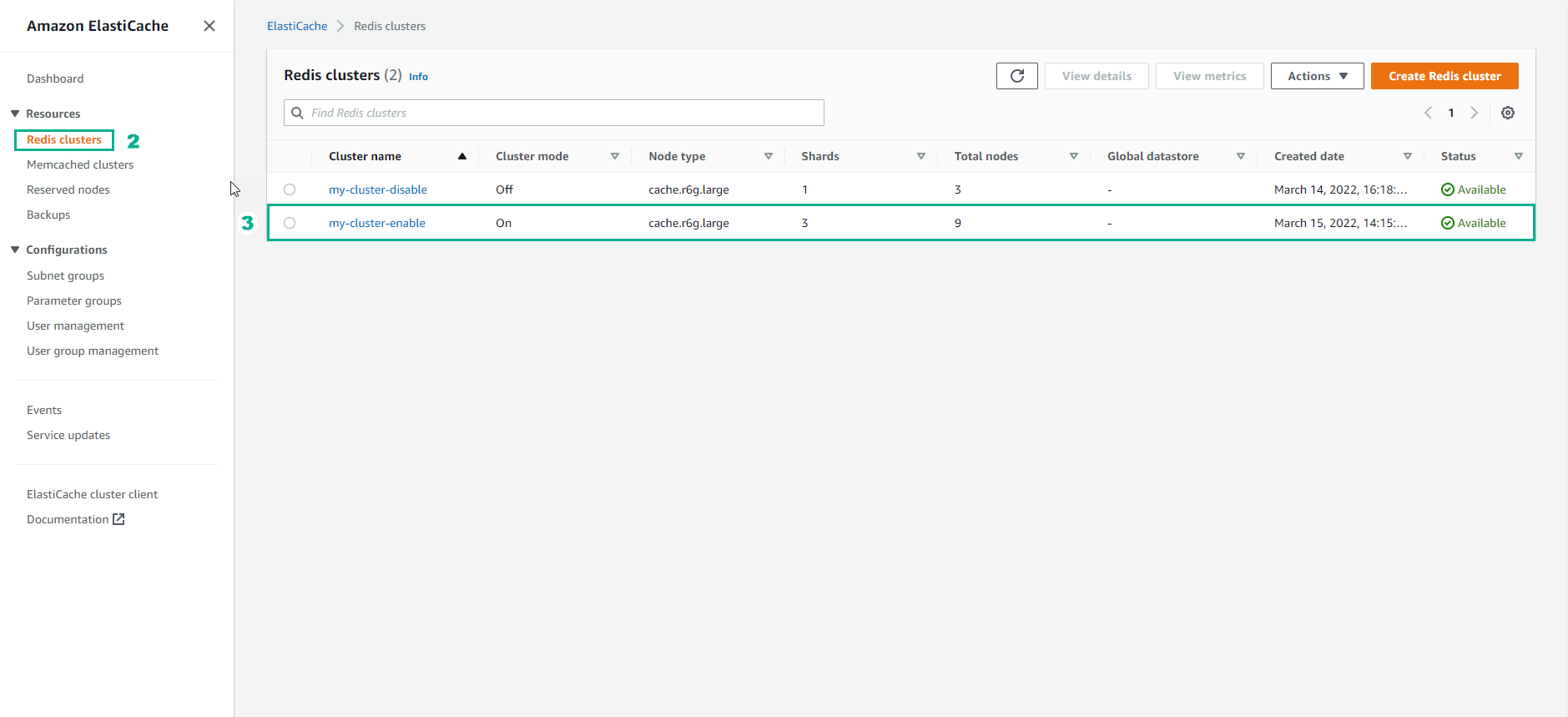
Từ ngăn điều hướng, chọn Redis clusters. Danh sách các cluster đang chạy bất kỳ phiên bản Redis nào sẽ xuất hiện.
-
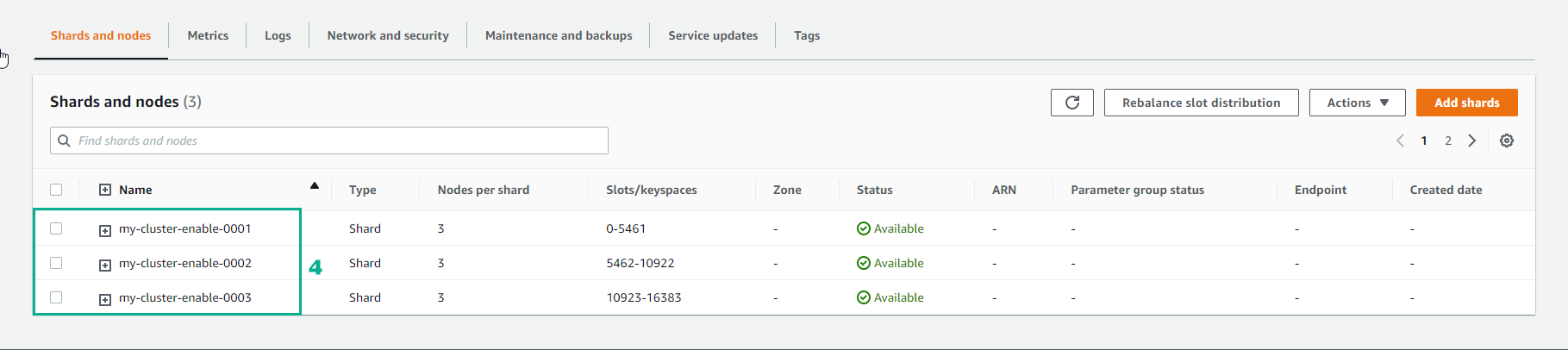
Từ danh sách các cluster, hãy chọn tên cluster của một cluster. Trang shard mở ra.
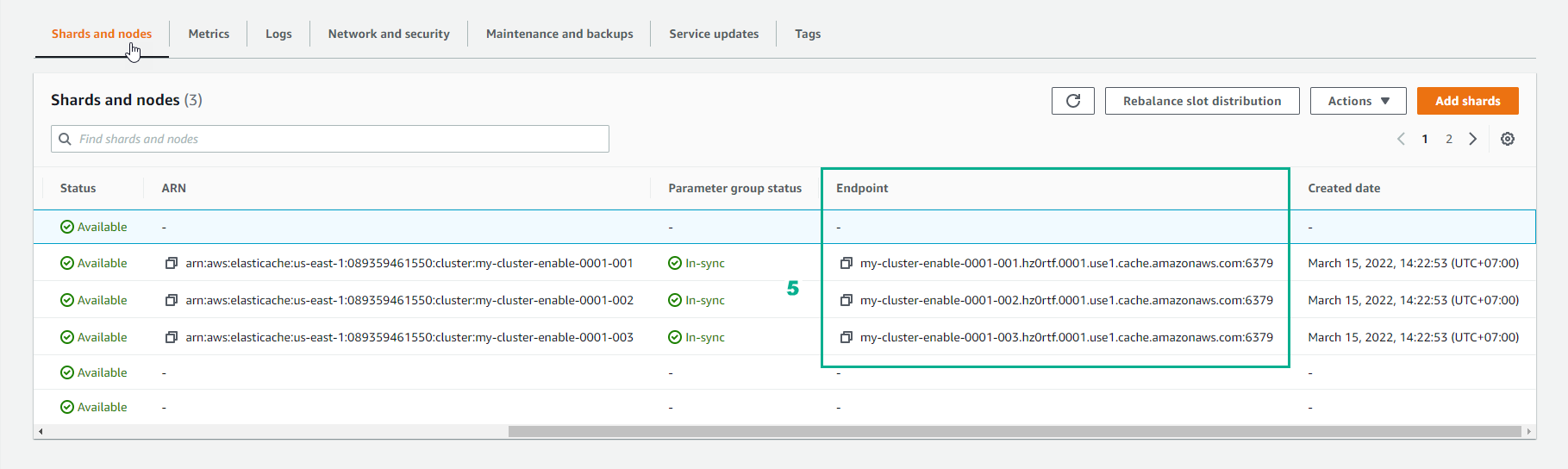
- Chọn tên của shard mà bạn muốn endpoint của node. Danh sách các node của shard xuất hiện với endpoint của mỗi node.
- Định vị Endpoint column và đọc endpoint cho mỗi node.
In-transit encryption not enabled
clusterName.xxxxxx.regionAndAz.cache.amazonaws.com:port

rce.ameaqx.use1.cache.amazonaws.com:6379
In-transit encryption enabled
clustercfg.clusterName.xxxxxx.regionAndAz.cache.amazonaws.com:port

clustercfg.rce.ameaqx.use1.cache.amazonaws.com:6379